Pre-interview screening
Ready-to-use templates quickly validate whether a candidate meets the core requirements of a role.
One assessment framework for candidates and employees
Assign ready-to-use screenings, run voice-based assessments, and receive structured reports with recommendations for hiring, grading, and development decisions.
Ready-to-use templates quickly validate whether a candidate meets the core requirements of a role.
Scores and response analysis give HR and hiring managers a shared basis for decisions.
Consistent criteria show the current level and what is required for the next one.
Results help evaluate whether an employee is ready for a new role or project.
Recommendations and courses focus learning on the gaps that matter.
One approach to questions, criteria, and reports reduces subjectivity across teams.
Two external screening workflows
A candidate can complete the assessment independently or with HR during an online interview. In both workflows, voice responses become one structured result.
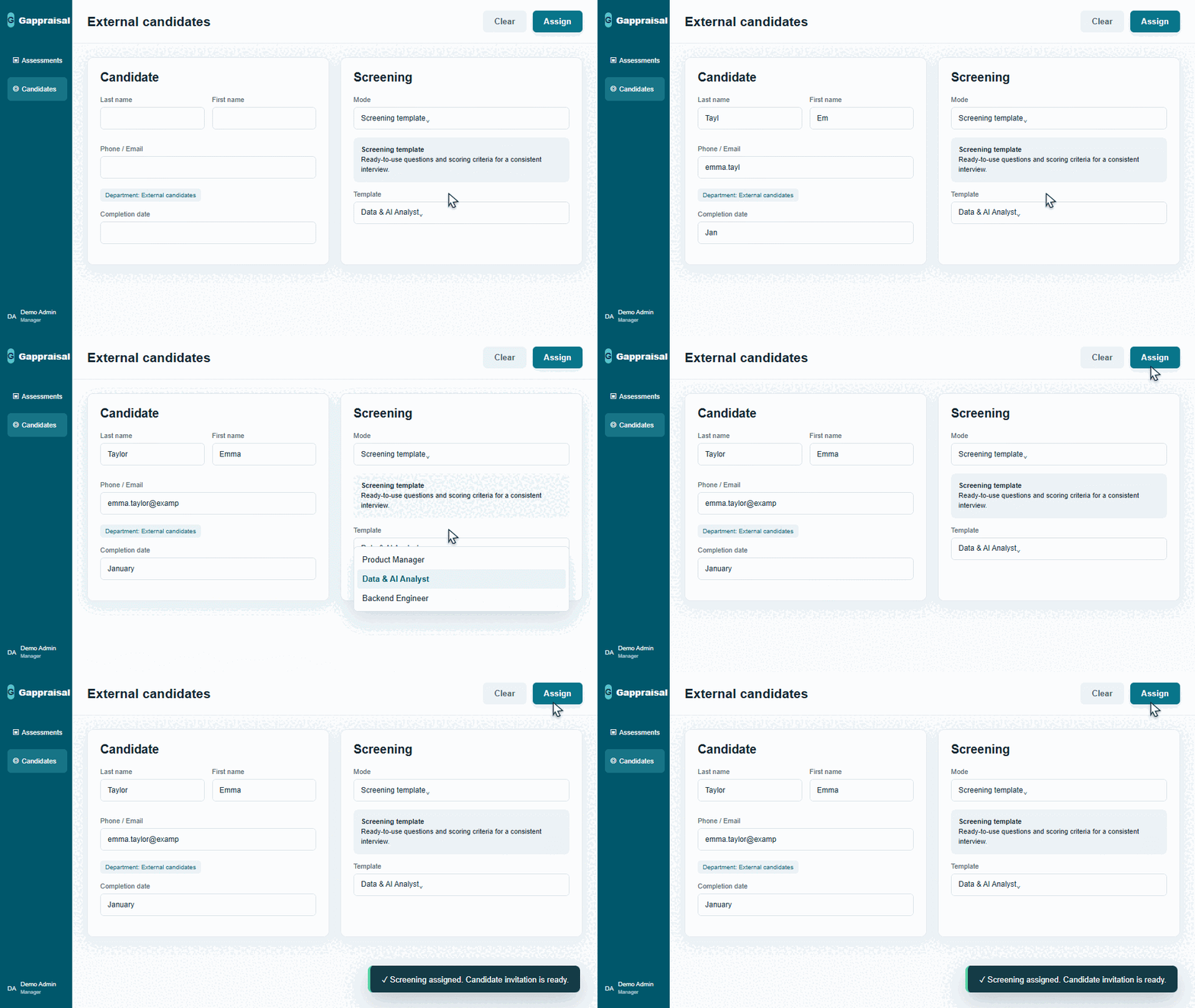
Enter the candidate’s name and contact details, set a deadline, and choose a ready-to-use workflow for the role.
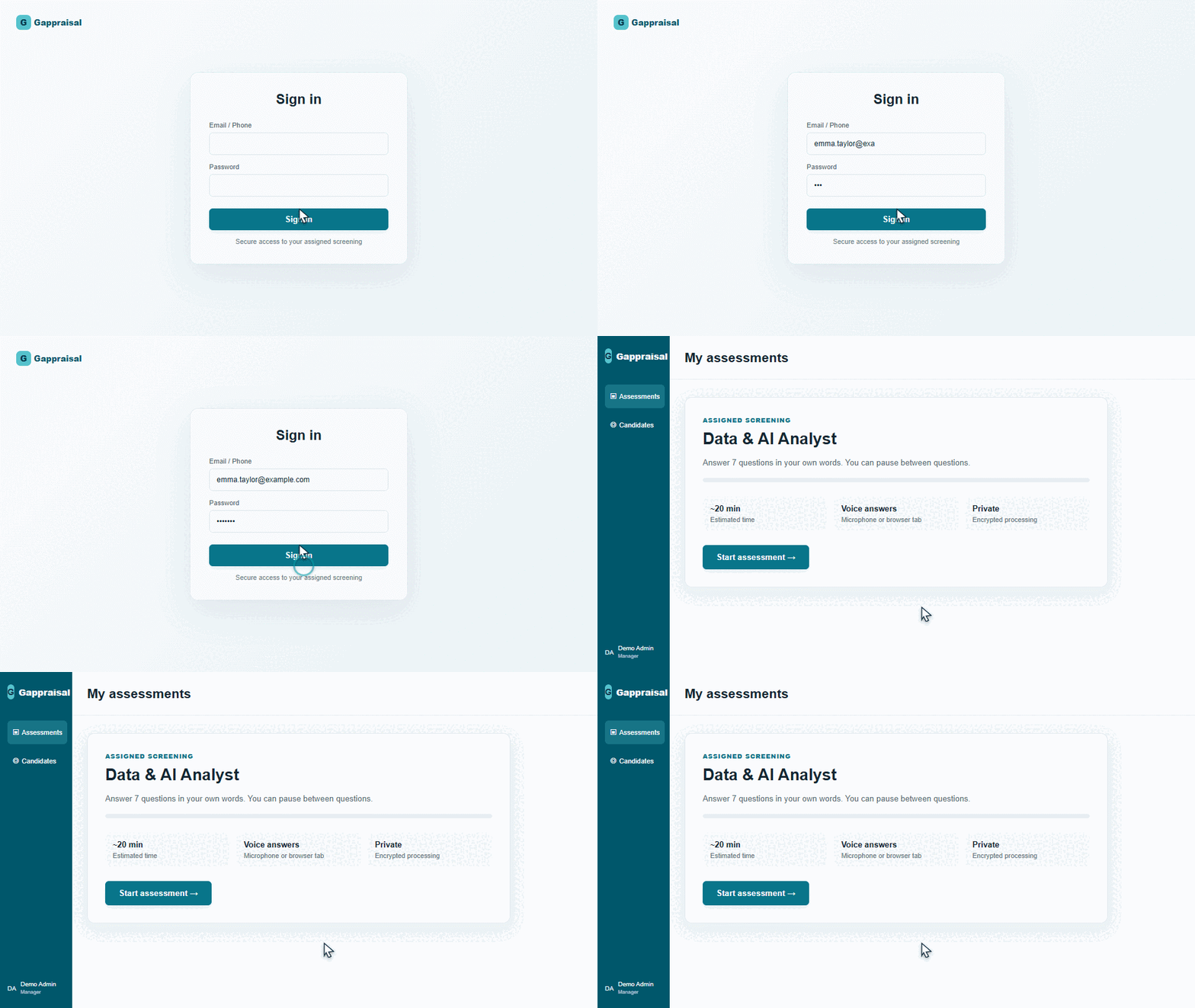
After signing in, the candidate sees the assigned assessment, deadline, question count, and instructions before starting.
HR-led workflow
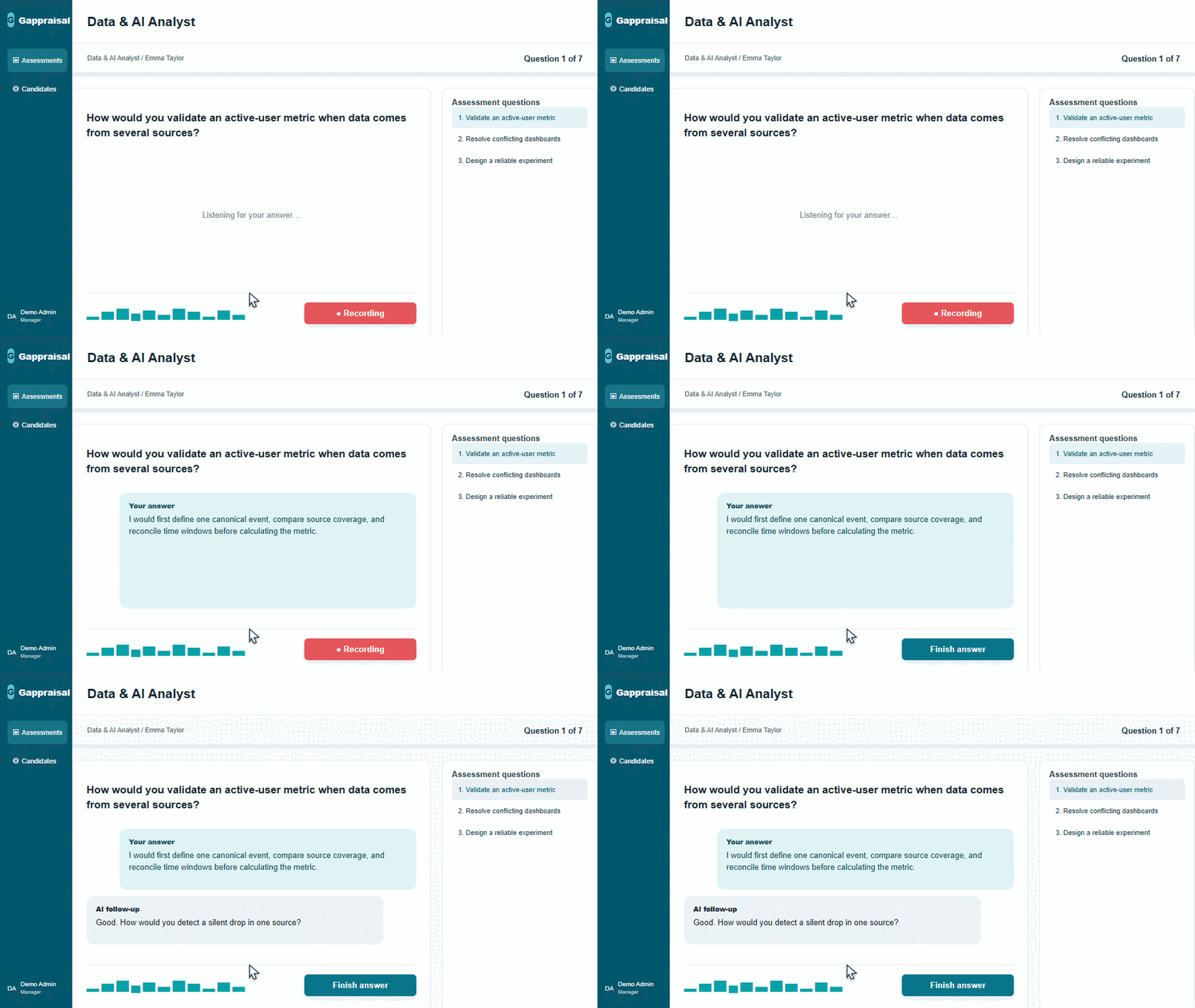
HR opens the assigned assessment on the candidate’s behalf and sends audio from a selected browser tab for transcription and AI analysis.
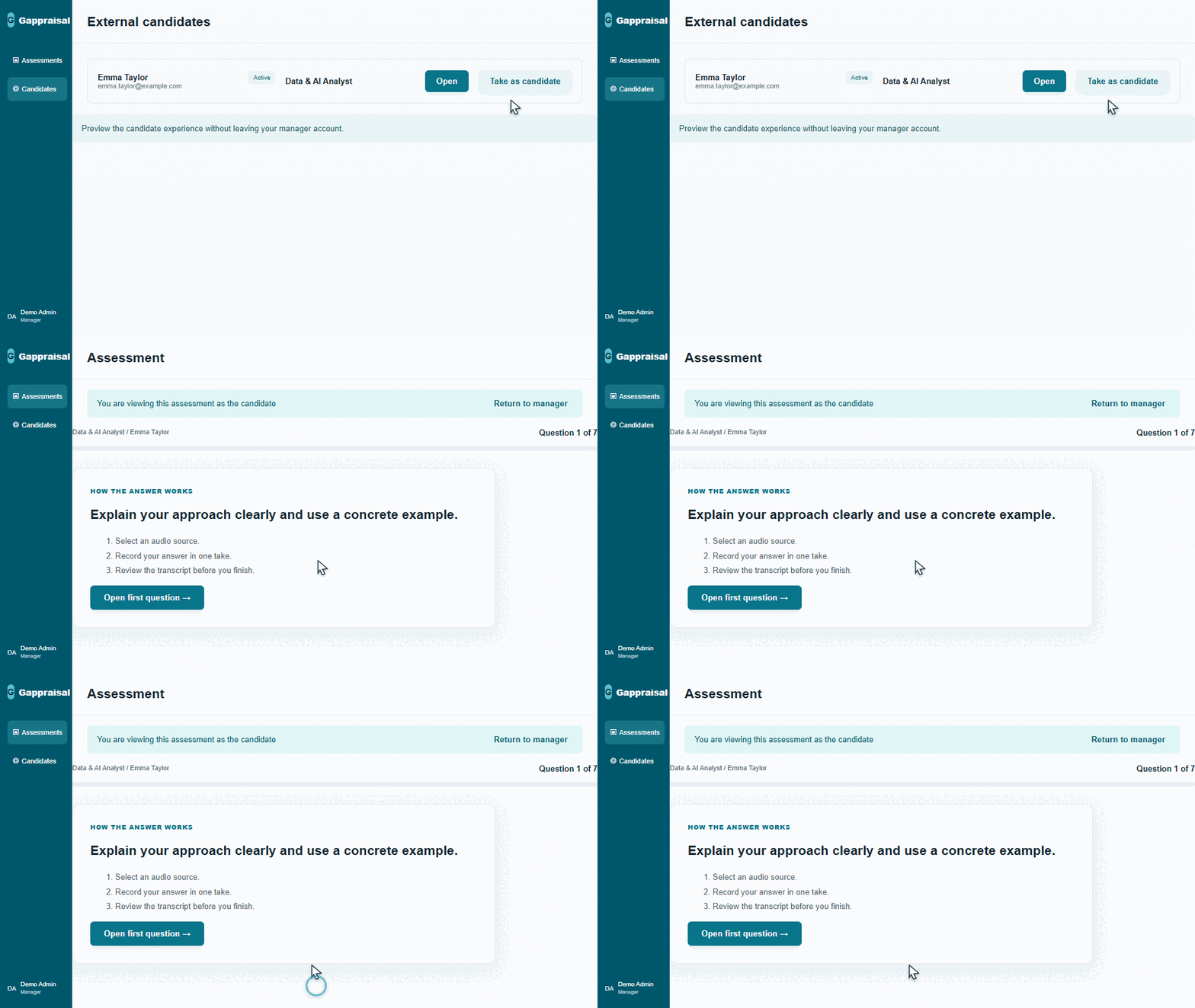
From the external candidate profile, HR opens the assigned assessment. The manager session remains active, so HR can return to the dashboard at any time.
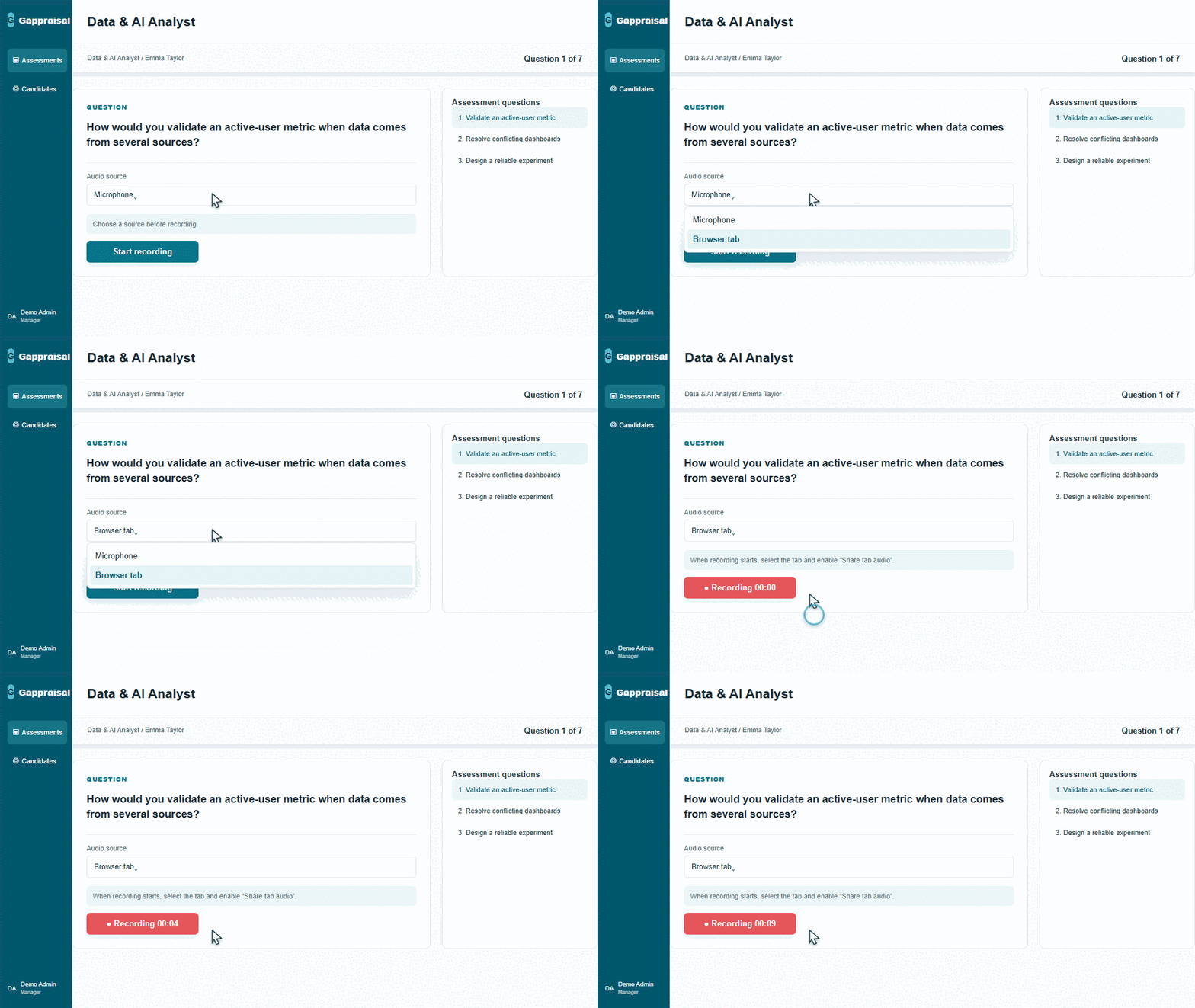
Select Browser tab as the source and start recording. The online interview audio is transcribed and then used to assess the response.
After the voice response, the system displays the transcript and substantive feedback. The candidate can expand the answer or complete it and continue.
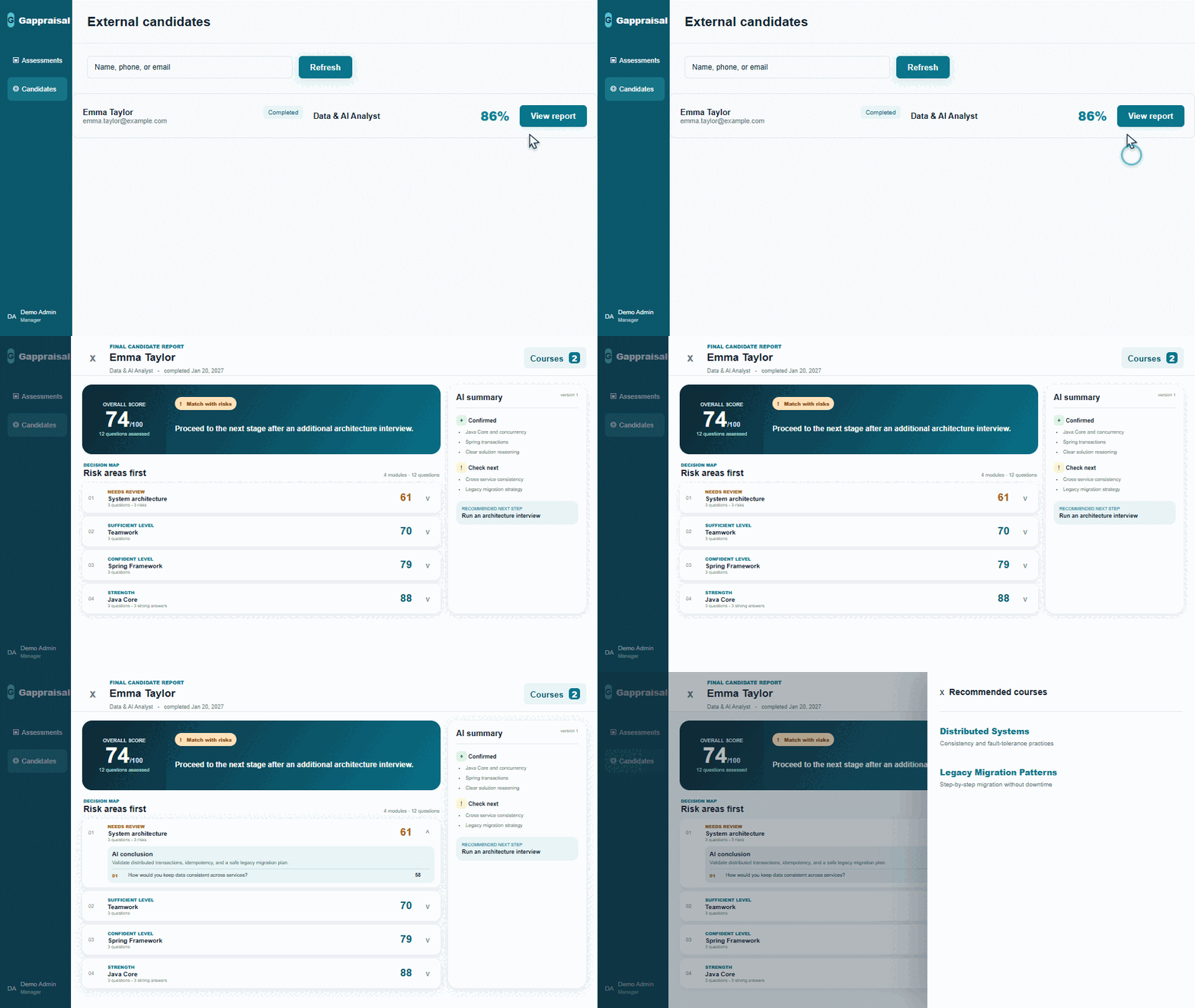
Find the candidate and open the result: final score, AI verdict, confirmed strengths, risk areas, next step, and relevant courses.
Hiring, grading, internal mobility, or development.
Use a ready-made template or adapt the questions and criteria to the role.
Select the participant, deadline, and assessment format.
The participant answers independently or with HR during an online interview.
The report supports decisions about the next stage, level, or development plan.
A comparable result based on consistent criteria for the selected role.
Strong arguments, missing details, and recommended follow-up areas.
Topics that require validation in the next stage or further development.
Relevant courses and practical next steps.
Participants see only the assessments assigned to them, while access to settings and reports is role-based.
Enterprise customers can deploy Gappraisal on premises using their own models and infrastructure.
Learn more about securityYes. HR can select a ready-made template for a role and adapt its questions, criteria, and scoring rubrics to company requirements.
The participant signs in to a dedicated workspace, opens the assigned assessment, and answers by voice. Voice responses are required.
Yes. HR can open the assessment on the candidate’s behalf and send audio from a selected browser tab for transcription and AI analysis.
Participants receive the same questions and criteria, and their results are presented in a consistent report format.
A final score, response analysis, identified skill gaps, and further development recommendations.
Yes. The same approach supports employee grading, internal mobility, and development planning.
Choose one role and objective—external screening or internal assessment—and align the criteria during a demo meeting.
We will choose one role and objective—external screening or internal assessment—and demonstrate the complete journey from assignment to report.